Make your electric car sound like a gas car.
WattGrowl gives your EV the voice of a combustion engine. It builds the engine note live on your phone from how you accelerate, brake and coast, and plays it through your car speakers. No OBD dongle, no wiring, nothing to install in the car.
 iPhone Coming soon
- Any EV, any car stereo
- No OBD dongle
- 37 engines
- Free simulator
What it is
Engine noise, made on your phone.
EVs are quiet, and plenty of drivers like that. Others miss the growl on a highway on-ramp and the burble when they lift off. Most ways to add engine sound mean extra hardware; WattGrowl needs only your phone.
WattGrowl is an Android app that synthesizes a gas engine in real time, not from recordings or loops. Each engine is modeled with its own firing order, exhaust, muffler, turbo or supercharger and rev limiter. It plays through your car speakers over Bluetooth, USB or a cable, or on the phone speaker and headphones.
How Live Drive works
Mount it, connect it, drive.
Live Drive reads the phone's motion sensors and GPS: how hard you accelerate, brake or coast.
Mount and connect
Any phone mount, any car stereo. Pick an engine and select Live drive; the engine can start right away.
Let it calibrate
It calibrates itself to the way the phone is mounted, and can finish calibrating while you drive.
Drive
You hear the pull through each gear, the shifts, the turbo and the crackle when you lift.
- Steady sound over bumps and rough roads
- Hands-free with the screen off once started
- Parked or waiting, a passenger can rev it on the throttle pad
- Stops when the car audio disconnects, restarts when the same car reconnects
Your car, your numbers
Matched to the EV you drive.
In Vehicle & Calibration, choose your car from a searchable list of 92 EV models, each with its power in kW, 0–100 km/h time and weight, or start from the generic EV. The simulation then matches your car's performance.
Pick a gearbox too: manual, dual-clutch, automatic, CVT and more, explained on the manual gearbox page. Speed shows in mph or km/h, picked automatically from your region.
Modes and pricing
Two modes free, one to drive with.
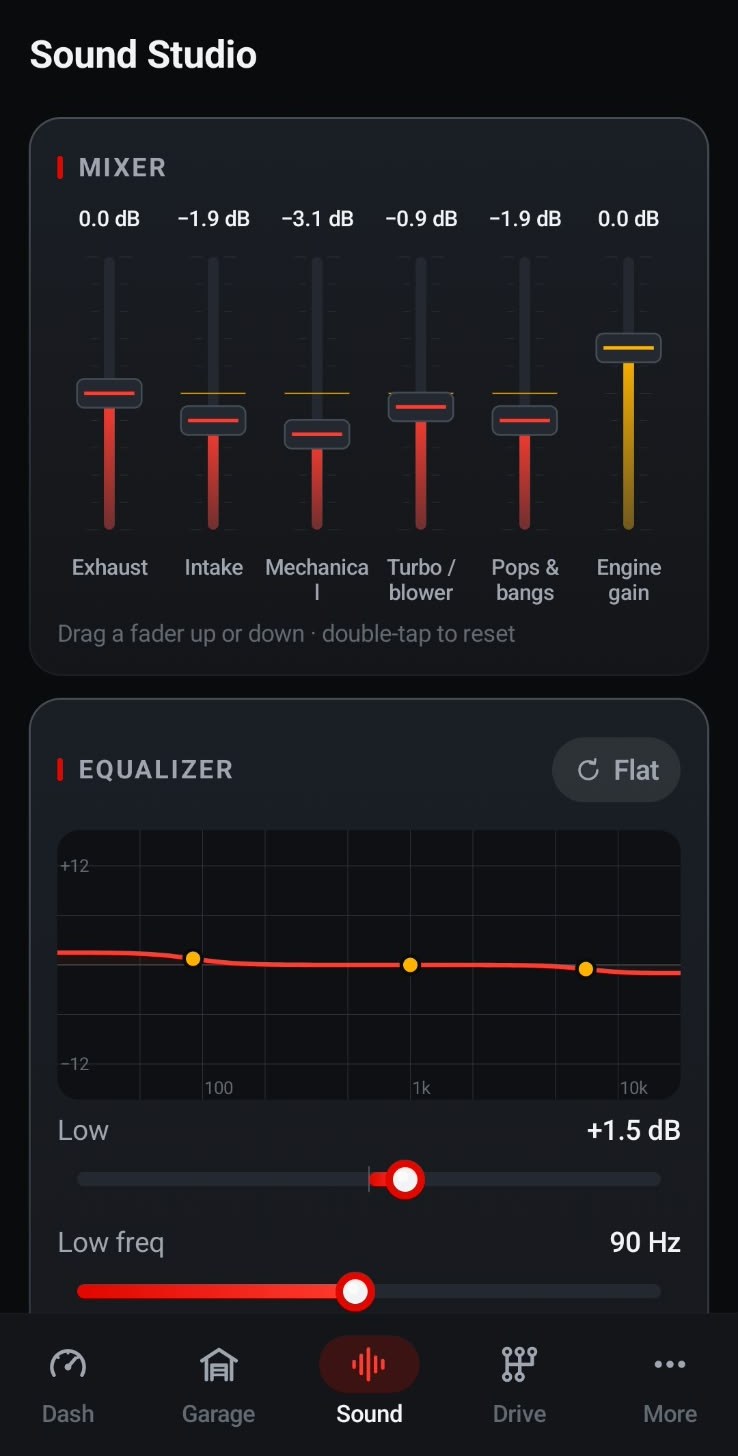
All three sit on the dashboard with the tachometer, boost gauge and g-meter.
Drive sim
Free. On-screen gas and brake pedals and – / + gear buttons: hear every engine from the couch.
Garage rev
Free. Blip the throttle while parked and tap POP for a backfire.
Live drive
Premium. A 3-day free trial on the yearly plan, then $2.99 a year, or $14.99 once for life.
- Also free: all 37 engines, the Sound Studio and the Engine Workshop
- Also free: timers, trip statistics and drive recordings
- Prices in US dollars; Google Play shows your local currency
37 engines
From small-block V8 to quad-rotor.
The Garage holds 37 synthesized engines, from the Small-Block V8 5.7 Big Cam and the Supercharged V8 6.2 to twin-turbo straight-sixes, a rally boxer, V12s, a quad-turbo W16, rotaries, diesels and superbikes. Each has its own voice, down to its pops and bangs. Or build your own in the Engine Workshop.
Good to know
Made for the cabin, not the street.
The sound plays inside the car, for you and your passengers. It is not a pedestrian warning system and does not replace your car's AVAS. Set it up before you pull away, keep the volume considerate, and drive the way you always would.
No account, no ads, no tracking. Location is used only to measure speed for the sound, and nothing is uploaded. Read the privacy policy.
FAQ
Questions about gas-car sound in an EV
Is there an app that makes an electric car sound like a gas car?
Yes. WattGrowl synthesizes a gas engine on your Android phone and plays it through your car speakers as you drive. An iPhone version is in development and coming soon.
Do I need an OBD dongle or other hardware?
No. Live Drive uses the phone's own motion sensors and GPS. You only need a phone mount and a connection to the stereo.
Will it work with my EV and my car stereo?
Yes, with any electric car and any stereo your phone connects to over Bluetooth, USB or a cable.
Does it need Android Auto?
No. You start WattGrowl on the phone before you drive, and in Live drive it runs hands-free with the screen off.
Does it replace the pedestrian warning sound?
No. The sound is for the people inside the car. WattGrowl does not change your EV's pedestrian warning sound (AVAS) and has no exterior speaker.
Explore
More from WattGrowl
Your EV, with an engine note.
Hear every engine for free in the simulator, then try Live Drive on your next drive.
iPhone Coming soon
Follow us on Instagram @engine_sound_app for new engines and the iPhone launch.