Time 0-100 km/h runs on your phone.
WattGrowl plays synthesized engine sound from an Android phone through your car speakers, and its timers use the units you already know: 0-100 km/h from a standstill, 100-200 km/h on the move and the full 0-200 km/h. In km/h countries it shows km/h on its own, and the timers are free. Closed course only.
 iPhone Coming soon
- 0-100 km/h
- 100-200 km/h
- 0-200 km/h
- km/h set by region
Metric by default
Your region decides the unit.
Drivers in Australia, Canada, India, Ireland, New Zealand, South Africa, Singapore and plenty of other countries read their speedometers in km/h, and that is how they compare cars: 0-100 km/h, not 0-60 mph. WattGrowl looks at your phone's region and sets the speed unit to match, so there is nothing to convert.
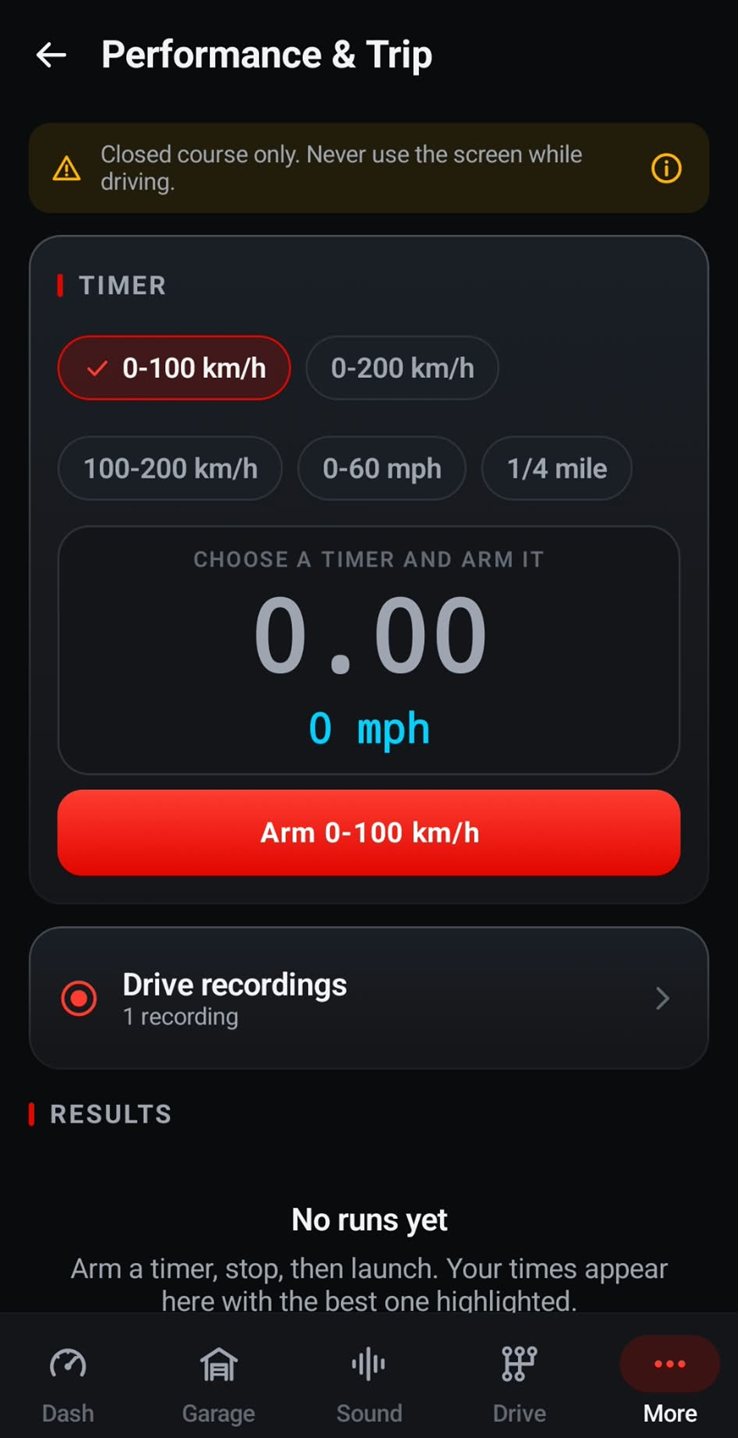
Prefer mph? Change the unit in Settings whenever you like, or read the 0-60 timer page. The screenshots on this page come from a phone set to mph; in a km/h region the speed under the clock reads km/h instead.
Three metric runs
Standing start, rolling pull, the full climb.
Each timer answers a different question about how your car accelerates.
0-100 km/h
The standing-start figure printed on spec sheets in km/h markets. Arm it at rest, launch, and the clock stops as you pass 100 km/h.
100-200 km/h
A rolling time from 100 to 200 km/h that leaves the launch out and shows how much the car still has at speed. Strictly for the track.
0-200 km/h
Rest to 200 km/h in one go: launch, mid-range and top end in a single number. A race circuit, never a road.
The same screen also carries 0-60 mph and the 1/4 mile, so both systems are one tap apart.
On the day
Arm it at a standstill, then go.
A banner above the timer spells out the rule: "Closed course only. Never use the screen while driving."
Pick 0-100 km/h
Open Performance & Trip and tap the timer you want. A check mark shows which one is selected.
Arm while stopped
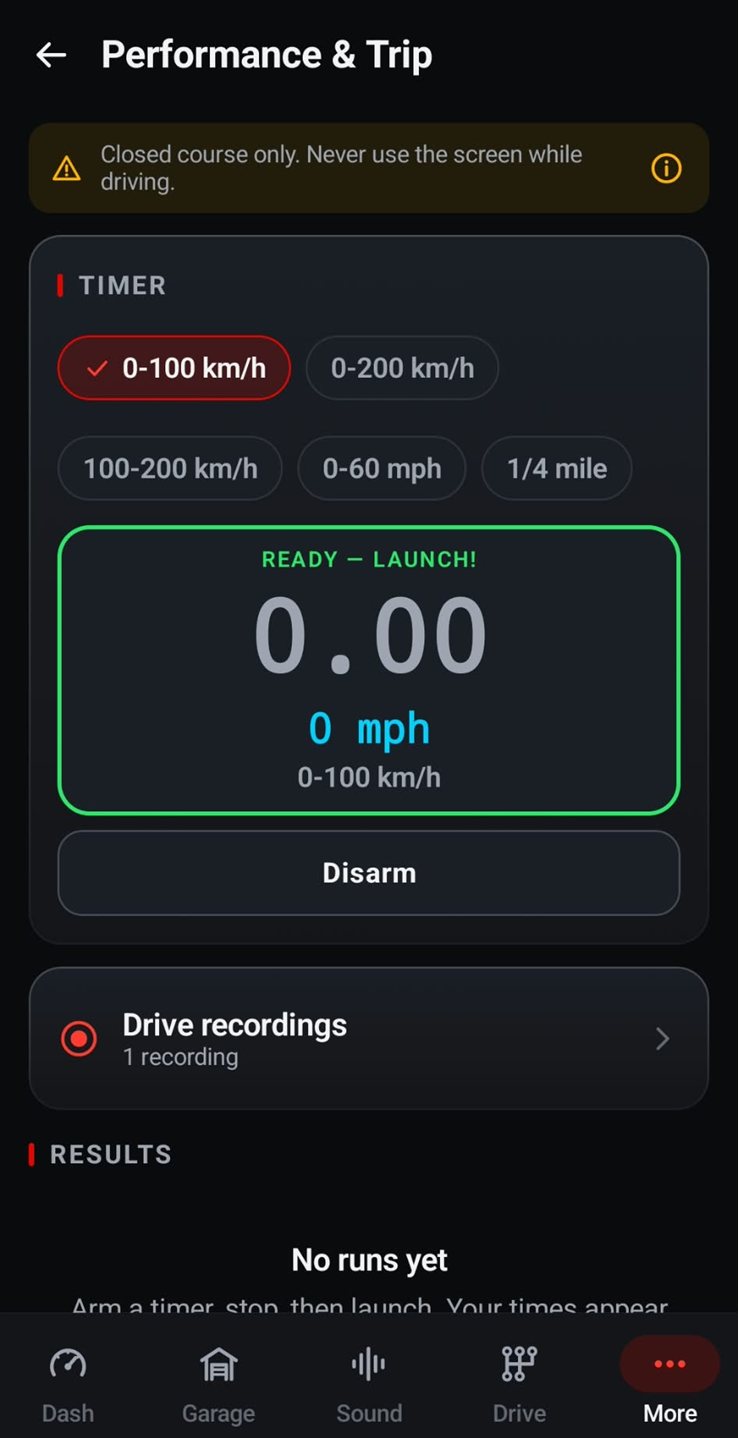
With the car at rest and the phone in its mount, tap Arm 0-100 km/h. A green Ready — Launch! frame confirms the timer is waiting for you.
Launch, then check later
Pull away once the course ahead is clear, and leave the screen alone. Once you are parked, check the results list, where the best run is highlighted, next to trip statistics and drive recordings.
Closed courses only: a drag strip, a race circuit or a test track closed to public traffic. Never run a timer on a public road, and never look at or touch the screen while the car is moving.
Live Drive
An engine note on every launch.
During a timed run in Live Drive, WattGrowl synthesizes a combustion engine live on your phone and plays it through the car speakers over Bluetooth, USB or a cable. Pick one of 37 engines and a gearbox (manual, dual-clutch, automatic, sequential, CVT or direct drive), and you hear gear changes the way that gearbox makes them, with pops when you lift off at the end of the run.
The timers, Drive sim, Garage rev, all engines, the Sound Studio and the Engine Workshop cost nothing. Live Drive is premium, with a free 3-day trial on the yearly plan; after that it is $2.99 a year or $14.99 once (USD, shown in your local currency on Google Play). The sound is for the cabin, not a pedestrian warning (AVAS).

FAQ
Questions about the 0-100 km/h timer
Will WattGrowl use km/h in my country?
Yes, if your phone's region is a km/h country such as Australia, Canada, India, Ireland, New Zealand, South Africa or Singapore. The unit is picked automatically from the region, and you can switch between km/h and mph in Settings.
How is 100-200 km/h different from 0-100 km/h?
0-100 km/h starts from a standstill, so the launch counts. 100-200 km/h is a rolling time between those two speeds: it skips the launch and shows how the car pulls when it is already moving fast.
Do I need an OBD dongle for the timer?
No. WattGrowl takes speed from the phone's GPS and motion sensors. Your location is used only for speed, and nothing is uploaded.
Can I hear an engine while I time a run?
Yes, with Live Drive, the premium feature: one of 37 synthesized engines plays through the car speakers during the run, shifting the way your chosen gearbox does. The yearly plan starts with a free 3-day trial and then costs $2.99 a year; a one-time purchase is $14.99 (USD).
Can I do a 0-200 km/h run on the road?
No. 0-200 km/h, 100-200 km/h and every other timer in the app are for closed courses only, such as a race circuit or a drag strip. Never start a timed run on public roads, and never use the screen while the car is moving.
Explore
More from WattGrowl
Your next launch, timed in km/h.
Install WattGrowl free from Google Play and pick 0-100 km/h before you head to the circuit.
iPhone Coming soon
Follow us on Instagram @engine_sound_app for new engines and the iPhone launch.