A 0-60 timer with the engine note built in.
Time 0-60 mph, 0-100 km/h and the quarter mile in WattGrowl, an engine sound app for electric cars. Stop at the start line, arm the timer, launch, and compare every run in one list. The timers are free; the engine sound during a real run is Live Drive (premium). Closed course only.
 iPhone Coming soon
- 0-60 mph
- 0-100 km/h
- Quarter mile
- Best run highlighted
How it works
Stop, arm it, launch.
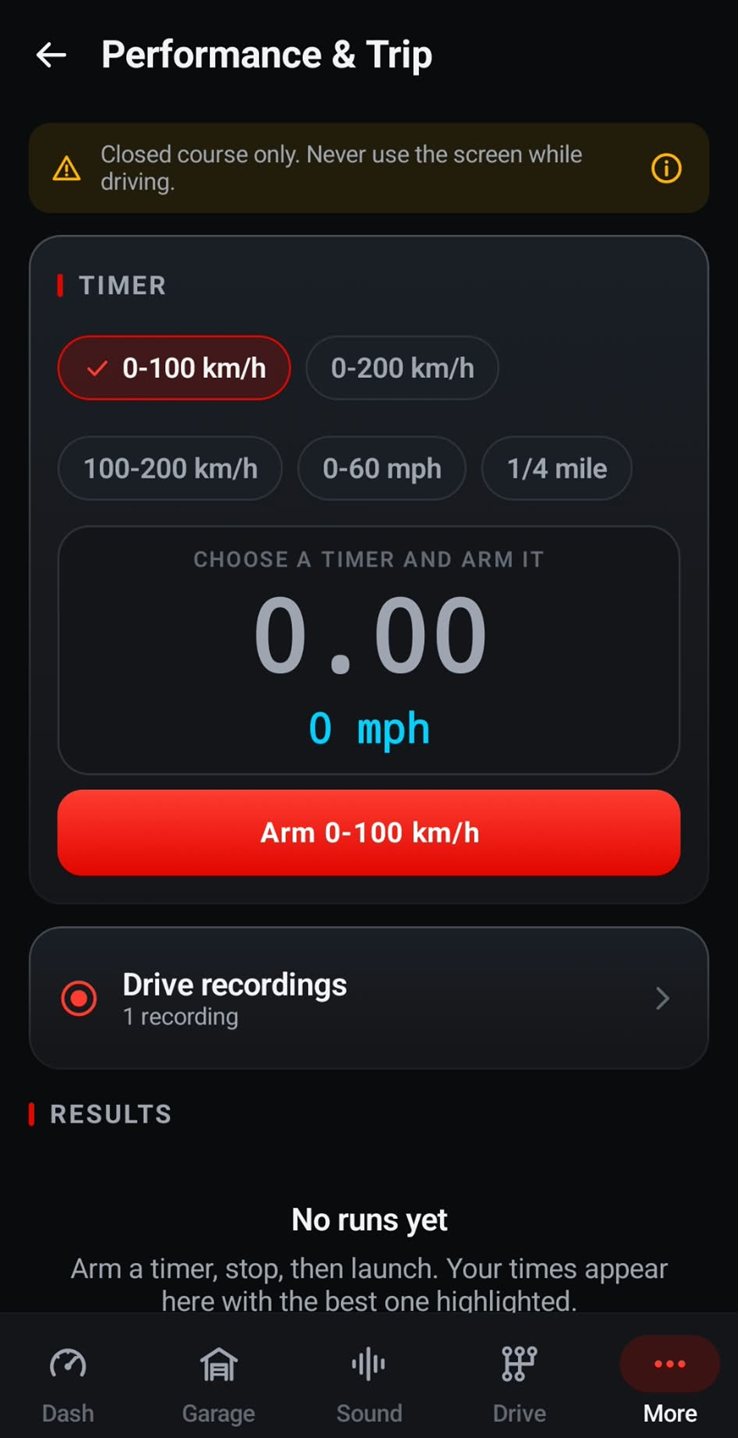
It all happens on the Performance & Trip screen, and all of it before you roll. Once the timer is armed, leave the phone in its mount.
Choose a timer
Pick 0-60 mph, 0-100 km/h, 0-200 km/h, 100-200 km/h or 1/4 mile.
Stop and arm
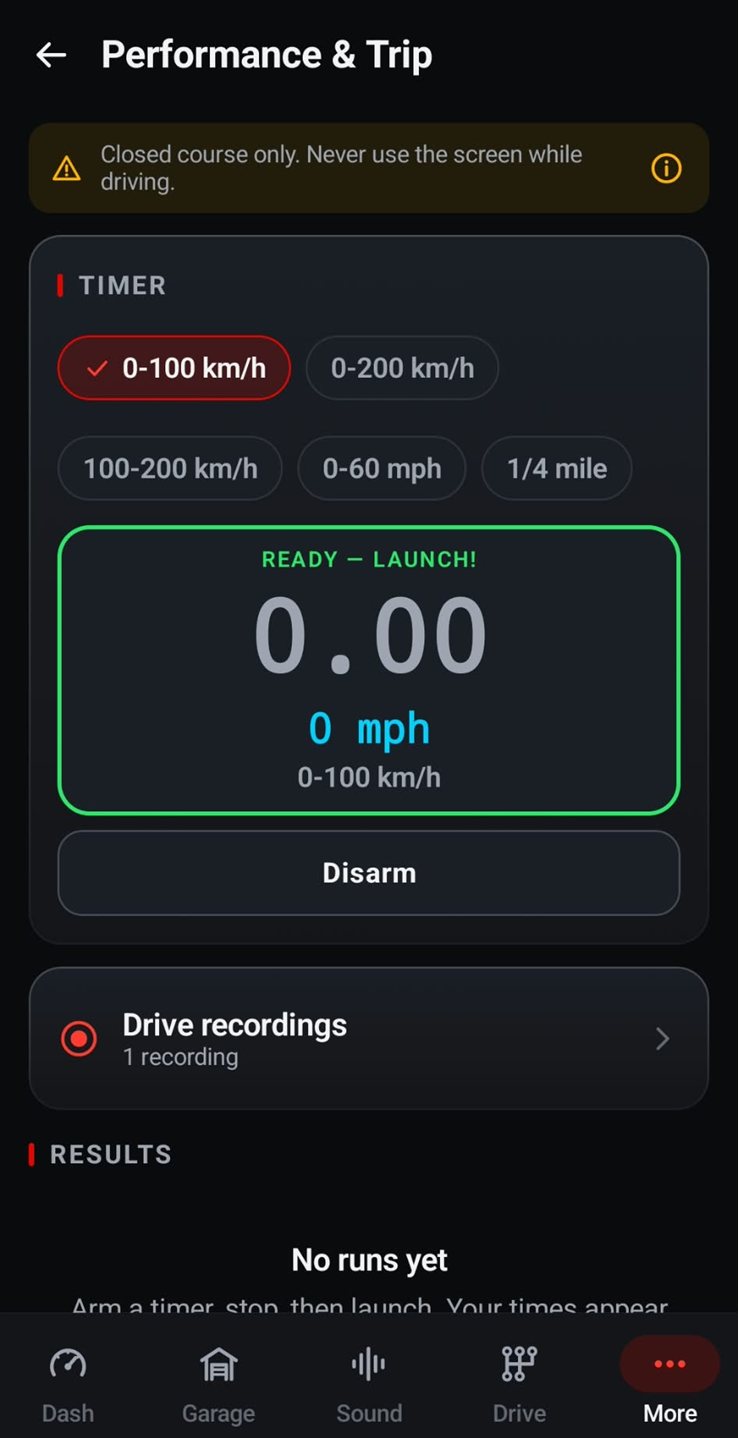
Stop at the start line, then tap Arm. When the box turns green and reads Ready — Launch!, you are set. Tap Disarm to call it off.
Launch
Go when the course is clear. Your time appears in the results list, with your best run highlighted.
Five timers
From 0-60 mph to the quarter mile.
0-60 mph is the figure US spec sheets and magazines quote. 0-100 km/h, about 62 mph, is the one on European spec sheets, which helps when you compare your EV with overseas reviews.
100-200 km/h, roughly 62 to 124 mph, measures how hard the car keeps pulling once it is moving, and 0-200 km/h covers the whole climb. Both reach speeds that belong on a track, never on a road. The 1/4 mile timer is made for the drag strip.
WattGrowl picks mph or km/h automatically from your region, so in the US the live readout under the clock shows mph. Drive in km/h? See the 0-100 km/h timer.
Closed course only
Time it where it's allowed.
The app says it at the top of the timer screen: "Closed course only. Never use the screen while driving."
Drag strips and track days
Use the timers at a drag strip, a test-and-tune night or a track day. Never time runs on public streets, and never race other drivers.
Set up, then hands off
Choose and arm the timer while you are stopped, with the phone in its mount. A passenger can read the screen; the driver watches the course.
Sound for the cabin
Engine sound plays inside the car through the stereo. It is not a pedestrian warning system and does not replace your car's AVAS.
After the run
Results, trip statistics and recordings.
Every run goes into the results list, so you can compare launches from the same day, or the same car before and after a set of new tires. Trip statistics and drive recordings sit on the same screen.
WattGrowl is an engine sound app first. With Live Drive, the phone's motion sensors and GPS turn how hard you accelerate into a synthesized engine note through the car speakers: a V8, a rotary, or an engine you built yourself. In Vehicle & Calibration you choose your EV from 92 models plus a generic EV, each listed with its power in kW, 0-100 km/h time and weight, so the simulation matches your car's performance.
Your runs stay on your phone: no account, no ads, no tracking, and nothing is uploaded. The timers, results, trip statistics and recordings are free. Live Drive has a 3-day free trial on the yearly plan, then costs $2.99 a year, or $14.99 once for life.
FAQ
Questions about the 0-60 timer
Can my phone measure 0-60 times?
Yes, as a way to compare your own runs. Mount the phone, choose the 0-60 mph timer in WattGrowl, arm it and launch from a full stop on a closed course. Treat the result as a personal benchmark, not an official time slip.
Which timers does WattGrowl have?
0-60 mph, 0-100 km/h, 0-200 km/h, 100-200 km/h and the 1/4 mile. Every run goes into a results list with your best one highlighted.
Is the 0-60 timer free?
Yes. The timers, results, trip statistics and drive recordings are part of the free app. Live Drive, the engine sound from your real driving, is premium: try it free for 3 days on the yearly plan, then $2.99 a year, or $14.99 once for life.
Does it show mph or km/h?
It picks mph or km/h automatically from your region, so US drivers see mph. The metric timers, such as 0-100 km/h, are there too.
Where can I use the timer?
Only on a closed course, such as a drag strip or a track day. Set everything up before the run, keep your eyes on the course and never time runs on public streets.
Explore
More from WattGrowl
Bring a timer to your next track day.
Download WattGrowl free and set up your first run before you leave home.
iPhone Coming soon
Follow us on Instagram @engine_sound_app for new engines and the iPhone launch.